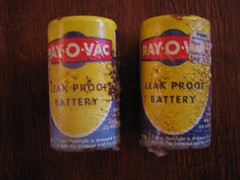
When I was a kid, we had an Atari 800xl. With that computer, we had a cassette drive. One of the games on that was Prince of Persia. I loved to play that game; however, it took ages to load.
In this article, I mentioned one of the big issues I had once my Nexus S upgraded to ICS was poor battery life. I also said I had fixed that by doing a reset of the phone. Well, the other day, I was looking at settings and think I’ve figured out the real reason for the poor battery life: VoIP.
When we moved overseas, I bought a Nokia e65 because I could run an app called TruPhone on it (VoIP). Combined with Google Voice, it was really convenient. When we were traveling, I could hook the phone up to WiFI (I couldn’t get data service at that time) and we could call people in the states. When I got my Nexus S, I set it up as well. This time, VoIP would ONLY work over wifi–it just wouldn’t connect at any other time.
Last week, I reconfigured the SIP settings on my Nexus S. Wow! It connected straightaway and over 3g to boot. This is really good as I have unlimited data on my phone. I called my parents in the states. There was a delay, but it worked! I went on to game night; however, when I picked my phone up to take a picture, the battery was almost flat. INSANE!
I’ve since gone in and disabled then re-enabled the SIP receive calls setting and think that is the cause of the very poor battery life. When it is enabled, the phone just sucks the battery (but I can’t receive calls that come into my google voice number). When I disable it, batter life is actually better than it was under Android 2.3.2 (what came on it).
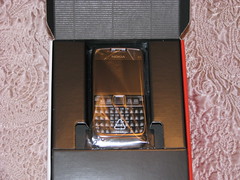
Last year, I got Cyndi a Nokia e71. She needed a new phone but wanted one with a physical keyboard (as opposed to a touchscreen). We found a new one in a pawn shop here for not very much so I got it. I was able to get it set up with Google Maps, Google Voice, and Google Talk; however, a few weeks ago, Google Talk quit working (I’m actually not sure when it stopped working as she didn’t use it all the time).
I ended up and uninstalled it and redownloaded it. Now, the Nokia Ovi Chat application won’t let me (her really) sign in to Google Talk. It ONLY lets you sign in with a Nokia ovi.com account ARG.
I’d really like to get her an android phone (then this stuff will just work) but she doesn’t want a touchscreen. Does anyone
1) have ideas how to get Nokia Chat to work once again with Google Talk? 2) an android phone with a real keyboard?
In “the old days,” as one put it — that would be before 9/11 — deep-cover CIA operatives could use and discard false passports like hand wipes. “The only way immigration could tell if the passports were fake was to look at the stamps, paper, photo, and so on,” said another recently retired CIA operative, whose worked on sensitive projects under non-official cover. Operatives could land at, say, Dubai, with a passport with one false name, then pick up another from the local CIA station to register at the hotel and conduct a mission. Then the same operative could return the country several times under different names, repeating the process.
Biometrics are making that impossible. Even crossing the border with a real identity, then donning a fake one in-country, presents its own risks. “When you go to check into a hotel room for a meeting with an asset, or even rent a car to drive to the meeting — or hold the meeting in the car — many hotels and car rental agencies upload their customer data, including passport number, to immigration every day,” the former spook notes. “Most countries are looking for visa overstays. But when you show up on the list as never having entered the country … it brings the police around to ask questions.”
I’m surprised they can’t fake the data stored on the passport.
1) Initially, battery life was horrible. I mean HORRIBLE. 4 hours of no use and the battery would be flat. After looking around on the internet, the concensus was it was a bad app. I didn’t uninstall everything one by one. Instead, I decided to just reset my phone. I think it was my status app causing the battery drain (but can’t prove it)
2) I don’t like the new signal indicator. Instead of distinct bars, it is one solid triangle that gets filled in. I find it hard to read.
3) I use 2 factor authentication for Google. When I reinstalled the authenticator, I had to redo my 2 factor authentication. Some things work ok; however, in some other places, it seems to have forgotten my application specific passwords.
Good
1) ICS has a built in traffic/usage graph. I like that
I used to take TONS of panoramas. So many that I had people think I was a geek, it was stupid, etc…. I thought I turned out some reallyneatpictures. Then, I got a new camera. It wasn’t so easy. Then I started using my phone. It got less easy. Well, with the ICS Android upgrade, the camera application includes a panno feature. Tried it out today and this picture is the result:
IMHO, the quality isn’t the greatest. You take the picture in this weird video capture mode where you just rotate the camera and it captures the image. Sure, it works, but you can g better quality images by rotating the camera yourself and then stitching the images manually.
Technology is great. It let’s us talk to people faster and easier than we could even 10 years ago. Computers are more powerful than ever, and we can get online from just about anywhere. But sometimes there are things that just make me go “ARG!” This is one of them.
We have some HP z210 workstations at work. We also favor McAfee Endpoint Encryption for full disk encryption (in case of theft, etc…). Well, in the case of the z210s, they have a brand-spankin-new UEFI bios-like bios. They shipped with version 1.09. The current version is now 1.35. The only problem??? If the bios is upgraded….even a minor step…the computer will refuse to boot. Thankfully, HP worked with us and told us how we can roll these computers back, but then we have to ensure they never get upgraded. Again.
Oh, and did I mention that the computer may not want to boot even after you roll it back? Yep. We haven’t figured out why, but in 1/2 the cases we’ve had, the computer refused to boot. This means you’ve got to take great pains in the rollback process.
Just wanted to blog about this really weird error I’ve been getting on this site for the past few days. When I would go in and use tinymce to edit an article and click the HTML button, I’d get a window full of junk (literally…some stuff from verisign, some nonprintable characters, etc….). The problem would happen regardless of the browser I was using too so I didn’t think it was a cache issue.
Well, I ended up and cleared my cache and it started working again. Hope this helps someone.
Ok…I’m writing about this weird problem I had tonight on Google Talk. Everyone could hear me. I could hear sounds on my computer and so could they. But I couldn’t hear them talk. They could hear me…but nothing on my end. Yes, I did have the voice and video plugin installed and I was using the gmail interface (don’t know why their client doesn’t support it but that is another story)
I looked, looked, and looked. I checked my control panel settings. I had them check their control panel settings. I couldn’t sort out what the problem was. Then, I came across this post in the google talk forums. Here’s what I did to fix this problem:
Login to gmail Go to settings (the gear in the middle-upper right) Go to chat When I verified my settings, I couldn’t hear the test sound (even though I could hear other sounds on my computer)
To solve this problem, I explicitly picked my speakers instead of the default. Once I saved it, it started working. Wow…that wasn’t obvious at all!