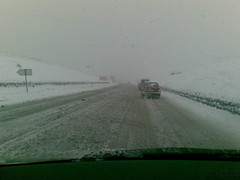
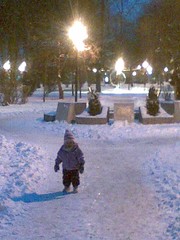
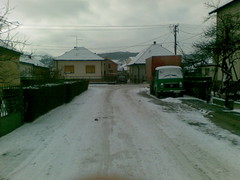
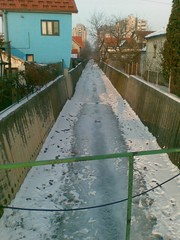
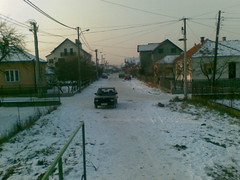
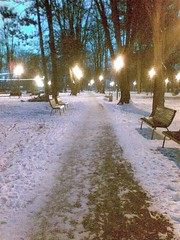
Shortly after Jan 1, we had some snow. It was great! First snow of the year. Here are some pictures I took. By the way, it started while a friend and I were in Belgrade. We had to drive back in it. Even though the pictures don’t look like it, they do plow the roads here.
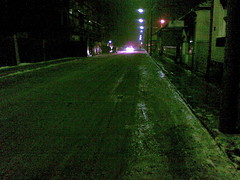
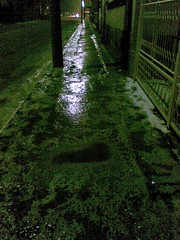
On Serbian New Year, we had an ice storm. We had freezing rain…all day long. By the time midnight rolled around and I headed to the center to see what was going on, I could have ice skated. Here are a few pictures I took on my way home.
Monday was the Epiphany (on the Orthodox Calendar). Cyndi, Lydia, and I went to the river to watch. Part of the activities included a bunch of guys jumping in the river and chasing a cross made of ice. Here is a picture of the guy who “won
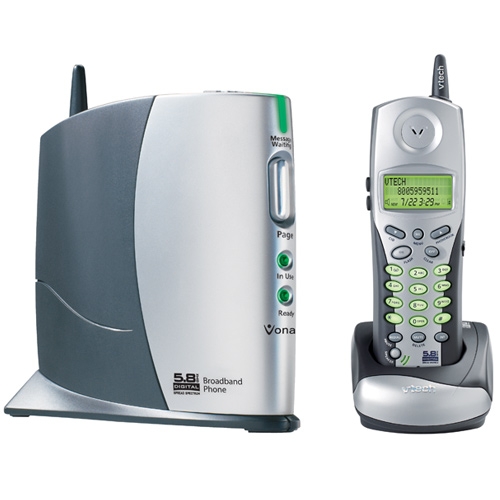
Cyndi andI brought a Vonage VTech 8100 phone with us to Serbia. At the beginning, everything worked great; however, we started having problems after a few months. Sometimes we would get real bad breakups, at other times, people would only hear clicks and pops, and at other times, they would hear simply dead air.
Well, we traced some of the problems to our internet connection; however, that left quite a few unexplained problems (dead air, clicks, etc….). We ended up and ordered a new battery from Amazon . We received it the other day, put it in the phone, charged it, and waited. Since then, we have made a few calls and haven’t had any problems. It looks like the battery was the cause of more problems than was obvious.
By the way, I still think what I think about Vonage and wish I had made a different choice in coming overseas. Although, I wouldn’t do it without having a voip phone…the convience is too nice.
Just in case you hadn’t heard, there is a new virus in the wild spreading like wildfire. As always, this wouldn’t be an issue if peple kept their machines up-to-date with patches.
Are you protected?
I haven’t seen any ideas about cleaning the virus. Anyone have any ideas on things to look for? Ho do you remove it out of the services.exe executable?
I just wanted to post a follow-up about the gas situation (first post here). It looks like Russia is shipping gas to Ukrane, Ukrane is accepting it, and building pressure to pump the gas to Europe.
ARG. I had this whole article written as an update to the gas situation but got distracted. When I tried to save it, I had been disconnected. ARG. I’ll take some time later to redo it. In the meantime, know that people in Serbia have gas (for now) and there is a meeting today (in Moscow, I think) for the leaders of various countries to talk about the gas situation.
Well, last night (at about 1am) I was working on a new website when I realized I needed upload a whole boatload of pictures. I’m currently running dual boot Ubuntu 8.10 and Vista; however, I spend most of my time in Ubuntu. Great…this is a good job for rsync. Well, the directory had a mix of stuff in it, so I spent an hour of so futzing around trying to get the pattern include/exclude working right (I ended up and just dumped my patters into a file and told rsync to look there).
But, I get getting this error that I thought was related to having a space in the volume name (why oh why do people…and companies…insist on using a space in a filename. ARG. Just don’t do it). I tried to change the volume label thinking that would be the easy way (ubuntu mounts media to /media/<volume_name>). Nope…couldn’t do that; however, I did find an argument int he properties called Mount Point. Great. I just entered where I wanted it mounted (a complete path…like /media/<where_I_want_it>). Unmounted and tried to remount it. Uh oh…error time:
“Cannot mount volume. Unable to mount volume” . When clicking details the message “mount_point cannot contain the following characters: newline, G_DIR_SEPERATOR (usually /)”
Arg. What’d I do wrong? Why do things like this always happen in the middle of the night when I want to go to bed? ARG! I googled around and found this bug report on the Ubuntu website talking about the same error. Awesome! Something to look at!
Well, I figure that “/system/storage/volumes/_org_freedesktop_Hal_devices_voume_uuid_*/mount_point” has to be a config file (isn’t everything in Linux?) Uh oh. Can’t find /system on the filesystem. Arg. Oh wait…if I’d read more of the post, I’d see I need to use this special program because it is a registry type thing (gconf-editor). No sweat. I go to the command line and try torun it. No luck…command not found. ARG!
By this time it’s about 2 am and I just want to go to bed. But I can’t because I’ve got this stupid error to fix. No sweat. I go to install the app (Applications/Add/Remove) only to find it is installed. ARG. I go looking though the program list to try to find it. Nothing. ARG ARG.
Back to google. I finally figure out that to launch gconf-editor, I have to hit <alt> + <f2> and enter gconf-editor in the popup. That works. I locate the key, make the change and everything is fine (the whole problem stems from the fact that the mount point properties option exoects you to enter a name…not a path…just a name.)
Now, to get back to my original problem. Rsync works now (it wasn’t reading the space right). I start the files uploading and go to bed.